
How to turn a photo into an action figure
This page runs the NanoPic AI image editor with an action figure prompt already loaded, so you only need a photo and, if you like, your own accessories. The editor sends your photo and prompt to Google’s Nano Banana 2 model and returns one 2K image.
Upload one clear photo
Use a JPG, PNG or WebP up to 10 MB where the face is well lit and not covered. A waist-up or full-body photo gives the figure clothes to copy. On a computer you can scan the QR code to send a photo from your phone.
Edit the blister-pack prompt
The action figure prompt is already filled in. Change the three accessories, the clothes or the card style in plain words, and keep “Keep the face recognizable” at the end.
Sign in, generate and download
Each image costs 10 credits. Our test result was ready in 62 seconds. Check the face and the packaging text, then download the file; results are kept for 30 days.
What our action figure test showed
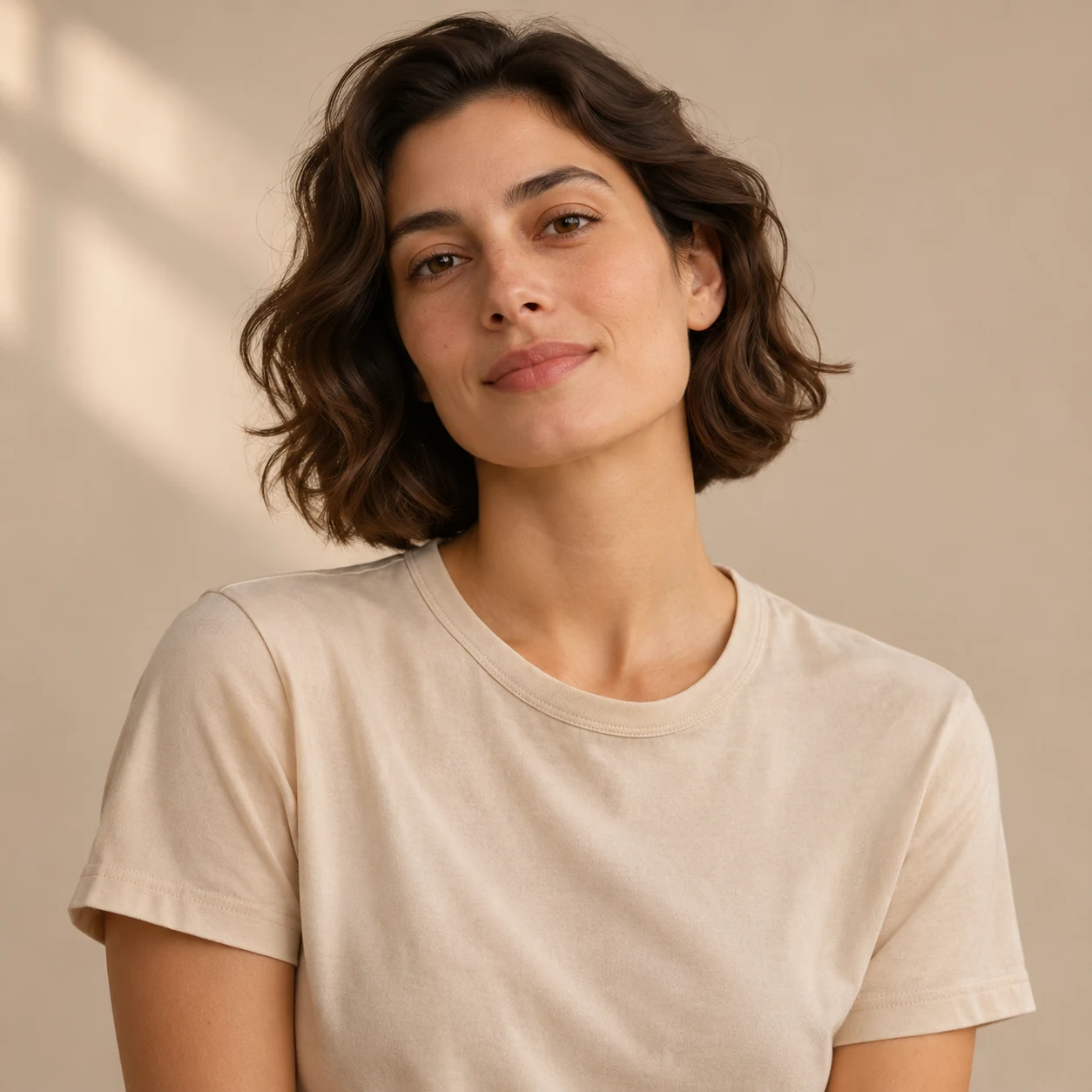
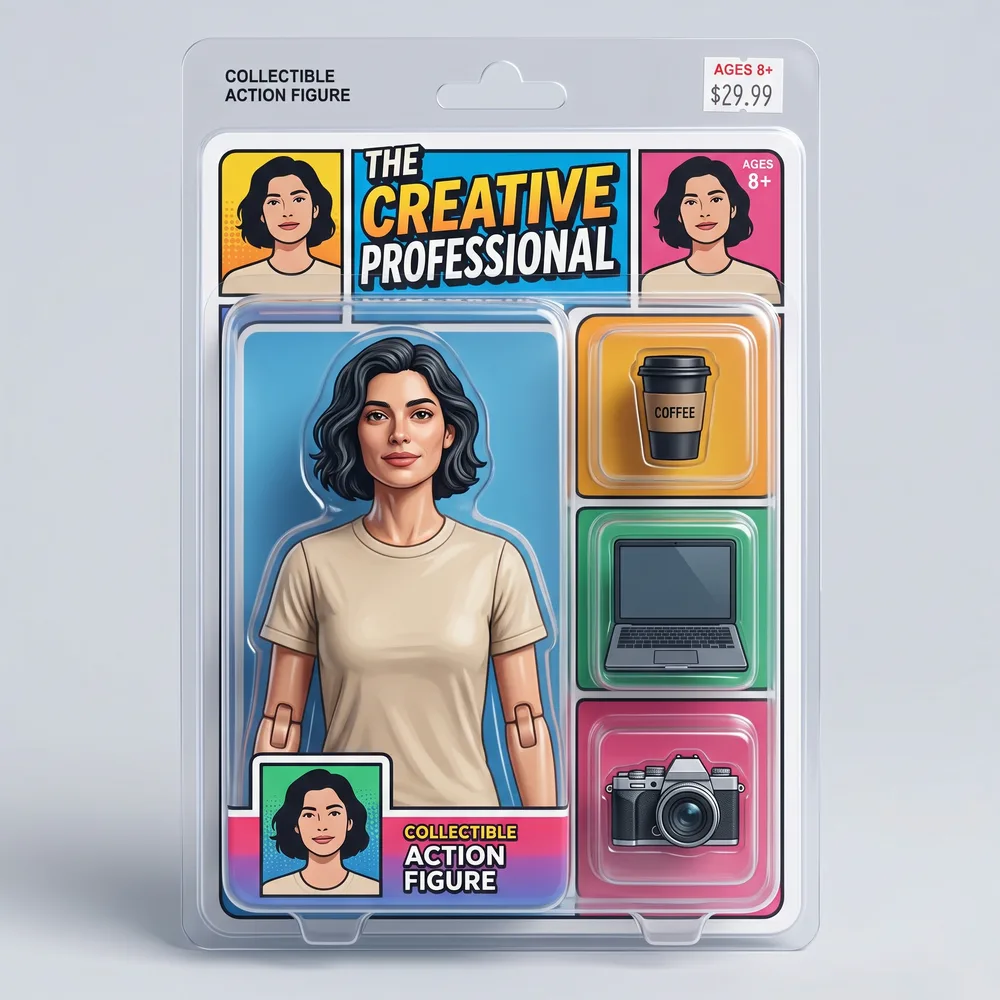
We ran the prompt once on the live site on November 13, 2026, using a 1254 × 1254 AI concept portrait from our own design set (not a customer photo). The result came back in 62 seconds at 2048 × 2048 and cost 10 credits. That is one run, timed by checking the job status every 4 seconds, so it is not an average generation time.
In our visual check the figure resembles the person in the photo and keeps the beige T-shirt, but it is not an exact copy: the face is smoothed into a toy style and the brown hair came out close to black. The three accessories we asked for each got their own slot. The model also wrote its own packaging text: a title (“The Creative Professional”), an “Ages 8+” label and a $29.99 price tag. None of that came from the prompt, so read the card before you share the image.
| What we checked | Result in our test |
|---|---|
| Face and hair | Resembles the photo; face smoothed into a toy style, brown hair turned close to black |
| Clothes | Same beige T-shirt as the photo |
| Accessories asked for (coffee cup, laptop, camera) | All three, each in its own plastic slot |
| Packaging text | Invented by the model: title, “Collectible Action Figure”, “Ages 8+”, $29.99 price tag, plus three small portrait panels of the same face |
| Time and size | 62 seconds, 2048 × 2048 pixels |
Customize the action figure packaging and accessories
Your prompt guides the pack, but the model may still add or change details, such as the packaging text in our test. There is no style menu: change one thing at a time in the prompt and keep the line about the face. The example buttons under the prompt box load complete versions of the ideas below. We have run only the original prompt, so treat these as untested starting points.
| To change | Replace or add this wording |
|---|---|
| Accessories | with small accessories (a tennis racket, a water bottle, a medal) in their own plastic slots |
| Card style | on a 1980s-style printed backing card with bold retro colors |
| Name on the card | with the name “ALEX” printed in large letters at the top of the card |
| Outfit | wearing a chef’s white jacket and apron |
| Box type | inside a window gift box instead of a blister pack |
AI action figure from text, with no photo
The same editor can also make an image from text alone: switch to the “Create an image” tab and describe the character, the outfit and the pack. Without a reference photo the model builds the character from your description only, so it cannot reliably reproduce your likeness. We have not run a text-only action figure test yet, so we cannot show a result here. An untested example to start from:
“A collectible action figure of a young astronaut in a white spacesuit, sealed in a blister pack on a printed backing card titled “SPACE CADET”, with a helmet, a small rocket and a moon rock in their own plastic slots. Toy-store product photo.”
Photo tips for an action figure that looks like you
The model copies what it can see. A sharp, front-facing photo with even light gives it the most to work with; sunglasses, heavy shadows or a face turned away give it less, and it will guess.
- One person in the frame. With several people it may pick the wrong one or put everyone in the pack.
- Waist-up or full body, so the clothes appear on the figure.
- At least 256 px on each side and no more than 4096 px; up to 10 MB.
- Only upload photos of yourself or of people who agreed to it.
Action figure generator vs. figurine generator
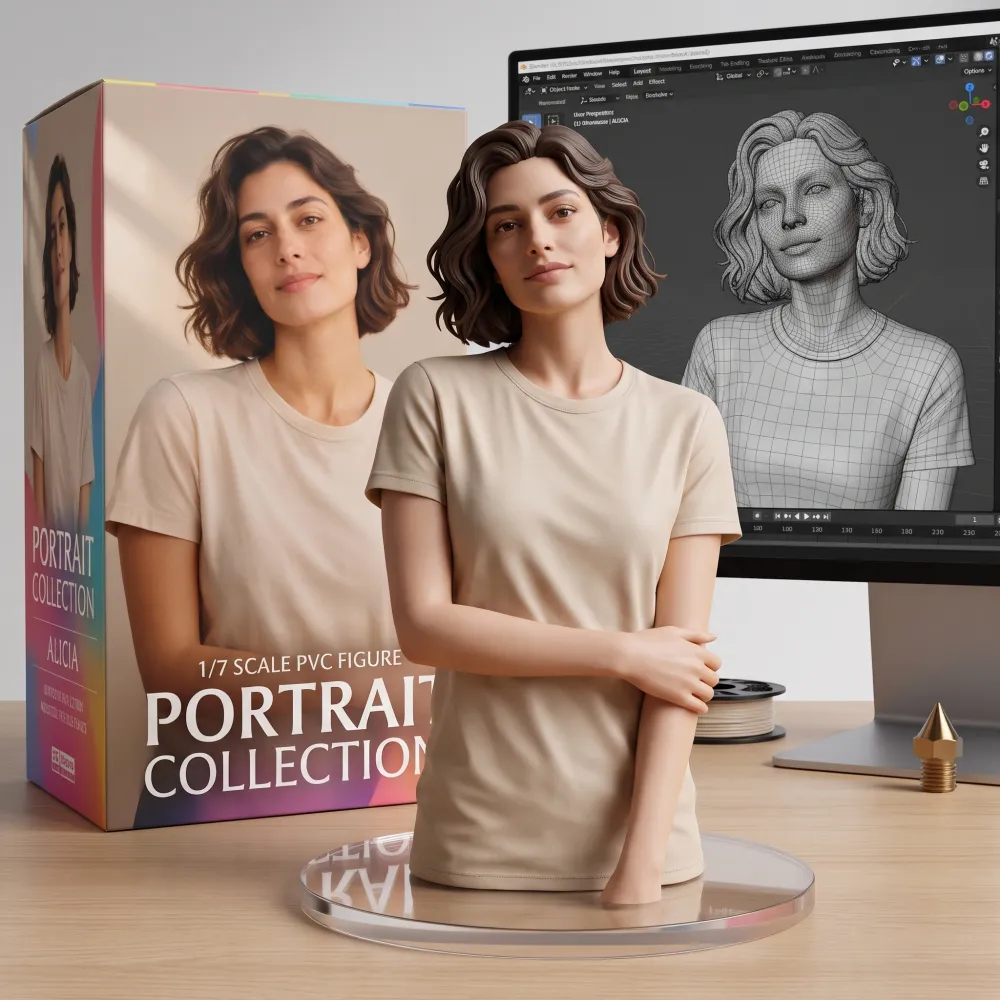
NanoPic has two ways to make a toy version of a photo, and they differ mainly in where they start. This page starts from an editable blister-pack prompt with accessories. The AI figurine generator starts from a built-in default scene: a figure on a clear base on a desk, with a box behind it and a monitor showing a 3D model. A prompt there is optional and changes the camera, lighting or placement of that scene.
Open the AI figurine generator
| AI action figure generator (this page) | AI figurine generator | |
|---|---|---|
| Default request | Figure sealed in a blister pack on a backing card | Figure on a clear base, box and monitor on a desk |
| Prompt | Required; preset filled in, fully editable | Optional; overrides parts of the built-in default scene |
| Accessories | The prompt asks for named accessories in separate slots | Not part of the default scene |
| Cost | 10 credits | 10 credits |
Ways to use an AI action figure image
The result is a digital image. You can download it and post it, use it as a profile picture, or print it as a card or poster. NanoPic does not make or ship physical toys, and the image is not a 3D model for printing.
- A social post or profile picture in the boxed-toy style.
- A team or birthday card with each person’s own accessories.
- A mock-up to show a toy maker what you have in mind.
AI action figure generator price and privacy
Each action figure image costs 10 credits. Pro is $16.90 a month for 200 credits, or $144 a year for 2,400 credits. Our calculation: 200 ÷ 10 = 20 images a month if you spend all the credits on images. There is no free plan and no free credits. Prices as of November 13, 2026.
You must sign in to generate. NanoPic checks your text prompt first and then the uploaded photo before it charges anything, and checks the finished image last. If the finished image is blocked or the job fails, the credits are returned to your account; if they do not appear, contact support. Results are listed in your account history, not in a public gallery. Each result has an unlisted direct link that anyone with the exact link can open. Result files are scheduled for deletion from our storage after 30 days.